TouchNet Authorized User MFA Requirement
Enrollment into multi-factor authentication (MFA) will be required beginning October 12, 2026, for all TouchNet Authorized Users.
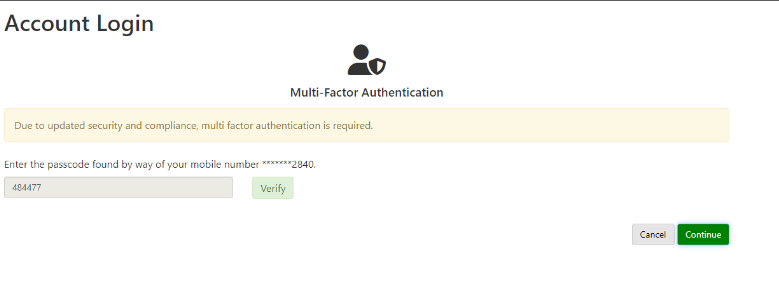
Step One: Creating a Multi-Factor Authentication profile to receive codes to login
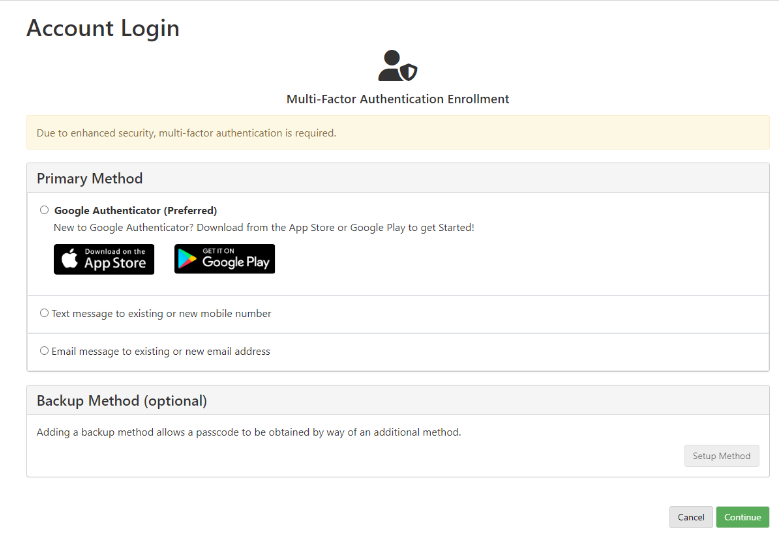
The Authorized User will be required to create their MFA profile at the next login. Once username and password are entered, the user will be directed to a page to select from the following options:
A. Authenticator Application- This is the most secure option and the preferred method to use. Examples are Google authenticator and Microsoft authenticator. These apps can be downloaded from the Apple App Store or Google Play.
B. Text Message – A mobile phone number will be entered to receive passcodes to login.
C. Email address – An email address will be entered to receive passcodes to login.
Step Two: Enter the passcode and select verify
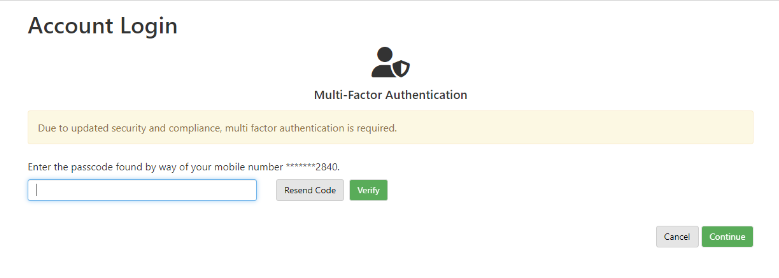
Step Three: When the passcode is verified, select continue to access the account